 pingpoli.de


I Switched from Windows to Linux
A more or less seamless transition
09.03.2026 - 20:49No, Microsoft, not every program needs a Copilot button, my operating system shouldn’t take a screenshot every few seconds, the search function should open instantly and only consider my locally installed programs and files, and I want to use my computer without a Microsoft account.
I always liked Windows, but it’s been getting more and more frustrating to use for the past few years. So when I bought the Framework Desktop that explicitly supports Linux, I decided to try to switch to Ubuntu on my main computer.
I already run Linux on one of my laptops, my Steam Deck, and ssh into Linux servers all the time, so I’m experienced with it, but far from an expert. One of the main reasons why I never fully switched was gaming, but thanks to Valve and their work on SteamOS and its Proton compatibility layer, this isn’t a big problem anymore.
While most things just worked, I had a few issues and some of them were quite complicated to solve, with the biggest one being a weird problem with GNOME that slowed down my whole computer to a crawl and required a user session restart every few hours.
Installation & General Use
Installing Linux is easier than Windows since you don’t have to find some kind of workaround to create a local user account that Microsoft hasn’t fixed yet and turn off a million different privacy settings.
Most common programs are available in the built-in software center or you can download them with a single apt install command. Sometimes you have to go to the website and download a debian file or an app image, but that’s just as easy as downloading a Windows program.
Most programs that I was using on Windows also work on Linux like Chrome (although I switched to Brave now), Firefox, Thunderbird, Nextcloud, Keepass, Visual Studio Code, Krita, and more, so I didn’t really have to change anything after I switched.
I would argue that most people could switch to Linux without any major problems. These days, a huge majority of normal tasks can be done in a browser, so the difference between operating systems is getting smaller every year.
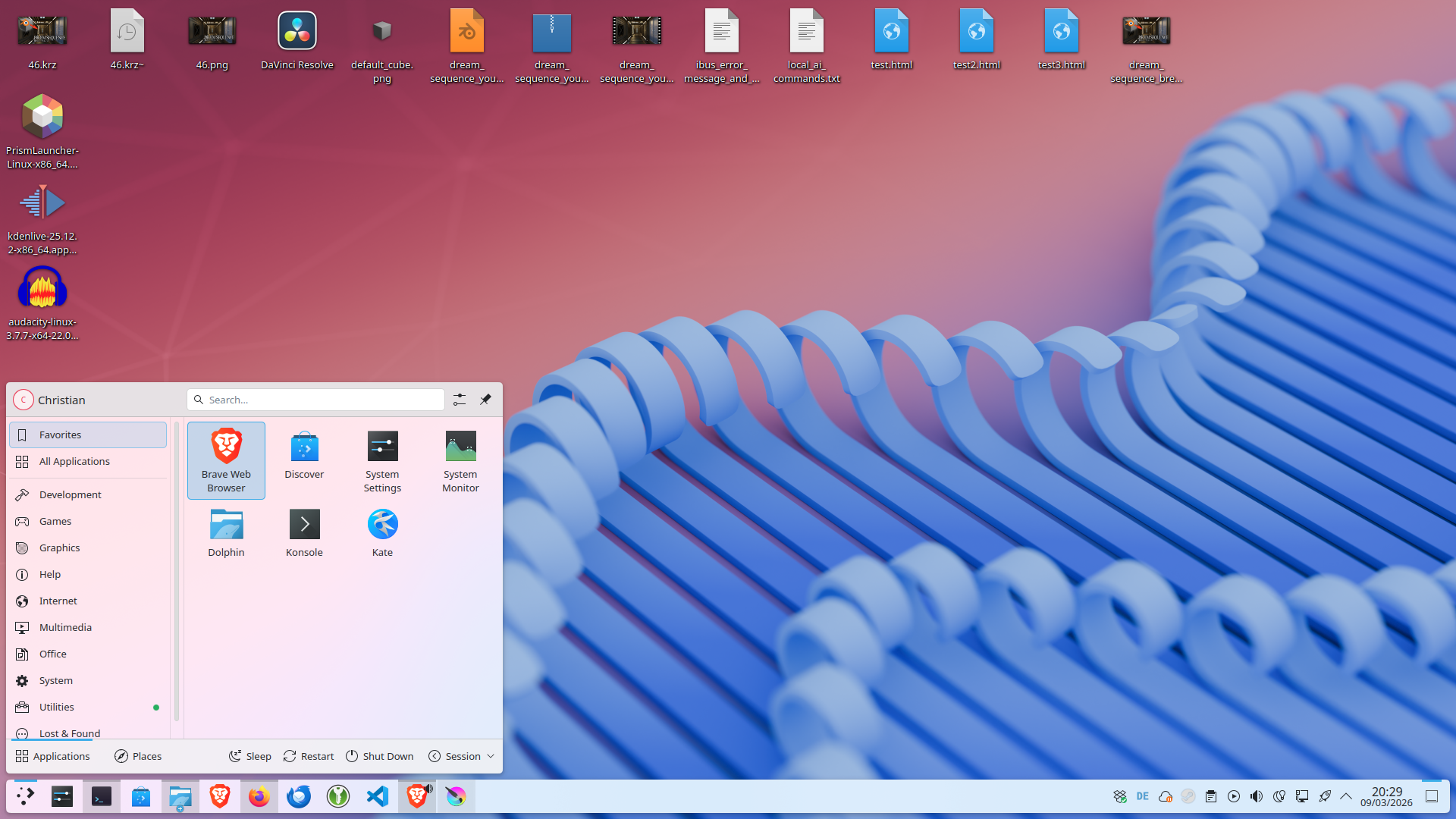
Ubuntu 25.10 with the KDE Plasma Desktop Environment:
Gaming
In the past, gaming was one of the biggest hurdles when switching to Linux. But thanks to the amazing work Valve did with SteamOS and the Proton compatibility layer, this is no longer an issue. I was already doing most of my gaming on Linux with my Steam Deck.
There are still some games that won’t run on Linux, with the most notable ones being competitive games because of their kernel-level anti-cheat systems. But since I don’t really play these games anyway, this isn’t a big problem for me. My main game is Minecraft, which works on Linux natively anyway.
I also had this ironic story: I tried to install Worms WMD, which has an official Linux build. However, it had a lot of conflicts between its bundled libraries and the system library versions, so I couldn’t get it to launch. I tried to install older library versions, changed symlinks, and deleted some of the bundled libraries, but nothing worked. Eventually, I came across the tip to right click the game in Steam and enable Proton compatibility, which essentially just downloads a Windows version of the game. So even though Worms has a Linux build, I’m still running the Windows version on Linux.
Blender
Obviously, Blender works on Linux. Getting it to use the GPU for rendering, however, is another story. Since my Framework Desktop has an AMD GPU and AMD graphics drivers are included in the Linux kernel, I thought GPU rendering would just work, but unfortunately, it didn’t.
After some research, I found out that I needed to manually install the ROCm drivers. I downloaded the latest version and installed it, but GPU rendering still didn’t work. It turned out that the latest version wasn’t compatible with my kernel version, so I had to install an older version of ROCm and then it finally worked.
My Dream Sequence render challenge submission, fully created in Linux (I won't write an art breakdown post for this one, so I might as well include it here):
Gnome Issues
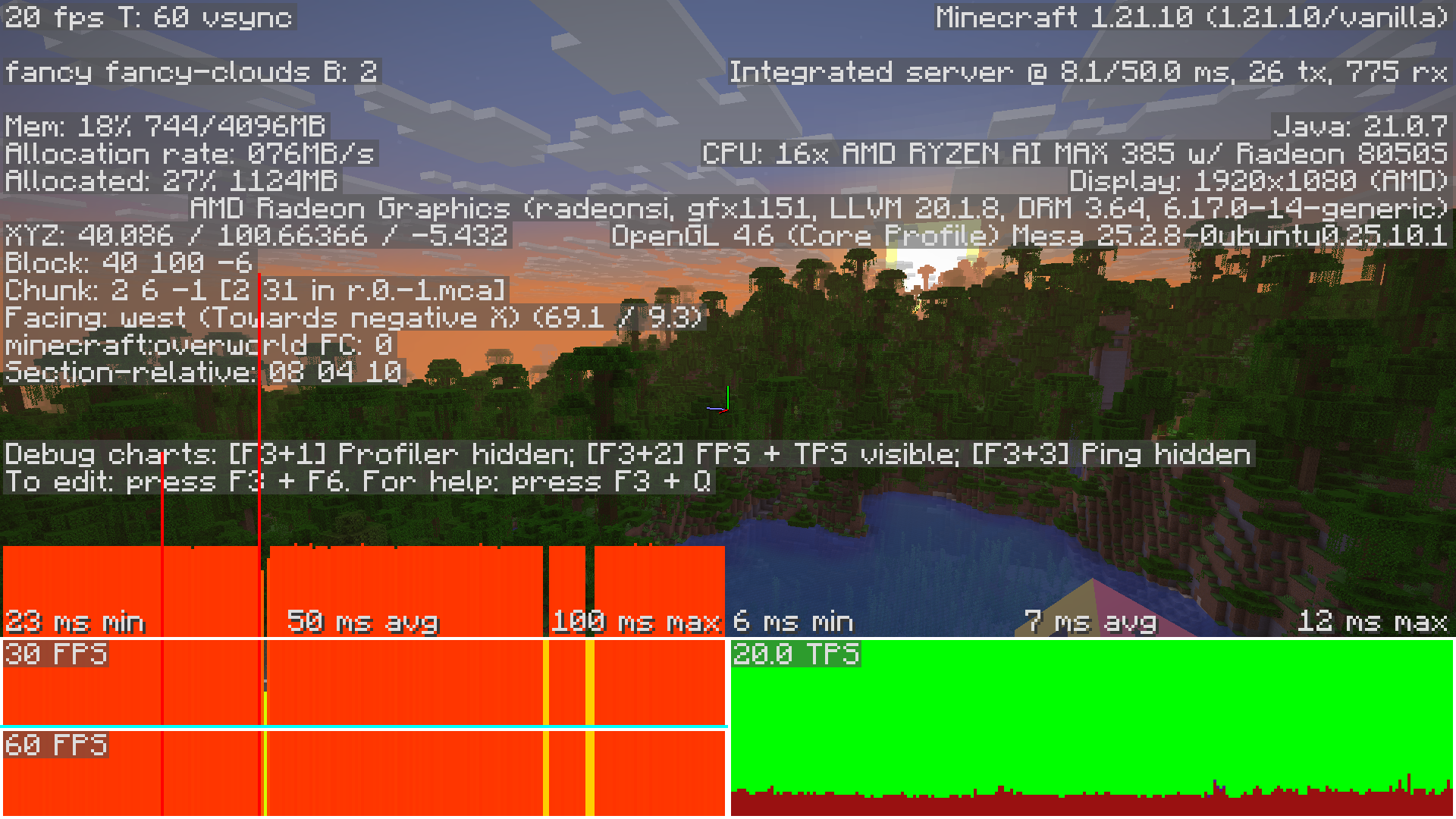
By far the biggest issue I had was that my system was getting slower and slower during use to the point where it was barely usable. Moving the mouse or scrolling windows was extremely laggy and when I launched Minecraft it would run at around 20 fps on a system that can normally run it at hundreds of frames per second.
Minecraft running at 20 fps on a powerful computer:
This problem was very annoying to troubleshoot because I didn’t have any concrete error messages. At first, I suspected an issue with the graphics drivers and I even found some people who experienced slowdowns and crashes with the Framework Desktop running Linux that seemed similar. But the discussion was ongoing and didn’t include any promising solutions yet.
Another suspicious behavior I discovered was that the CPU usage of the gnome-shell process was very high when the system started to slow down. One of the first fixes I found was that restarting my computer would solve the slowdowns for a bit and after a while, I also realized that just logging out and logging back in would also work.
This led me to the conclusion that GNOME was the real culprit and I tried to install another desktop environment. Previously, I have always just used the desktop environment that came with the Linux distro and while I knew that you could switch desktop environments, I thought it would be very complicated. To my surprise, all it took was a single apt install command and a restart.
I decided to switch to KDE Plasma because I was already used to it on my Steam Deck and it completely solved the slowdowns I was having with GNOME.
Video Editing
From what I’ve heard, video editing was supposed to be one of the more difficult aspects when switching to Linux. I’m using DaVinci Resolve, which, unlike Adobe Premiere, does support Linux. I had two smaller problems when I tried to launch DaVinci, but both of them had simple fixes (a missing dependency and I had to delete some libraries that came with DaVinci so it used the system libraries instead), but other than that DaVinci works great - or so I thought.
I participated in a Blender challenge and shortly before the deadline, I edited my submission in DaVinci with some final color grading. Then I tried to render the video and discovered that there were no H.264 or H.265 options available, which I always use and the submission guidelines of the challenge even mentioned explicitly. Apparently, DaVinci doesn’t include these options because of licensing issues, which seems a bit odd given that Blender and many other programs do include them on Linux. So I had to render the video with Apple ProRes, then send it to my Windows Laptop, convert it to H.264 there, and send it back.
No H.264/H.265 is a major downside for DaVinci. Since then, I tried the built-in video editor in Blender and Kdenlive. Both of them are definitely usable, especially since I only need very basic video editing features, but I’m used to working with DaVinci. I’m not sure what I’m going to do: Either find a different video codec that works for me or learn and switch to one of the other options.
So far, I’m happy with my Linux experience - at least since I fixed the weird GNOME slowdown issue by switching to KDE Plasma.
However, the transition wasn’t as seamless as I would have liked. There were a few issues that required a decent amount of troubleshooting. Things like GPU rendering in Blender or proper H.264 support in DaVinci just work in Windows, not to mention if you want to play competitive games with restrictive anti-cheat solutions. AMD Strix Halo is a slightly more niche platform, so other system configurations might work better (although NVIDIA GPUs also require some tweaking from what I’ve heard).
While I do think that a lot of people could switch to Linux without any major issues, it’s still not as hassle-free as Windows or MacOS. You get a lot of benefits like much better privacy, but you have to pay with some tinkering from time to time.
by Christian - 09.03.2026 - 20:49